Send a File to New Subscribers
Use Mailchimp to send reports, MP3s, videos, or other files to new email subscribers. Add your files to an automated or welcome email.

Get the job done with a pro
From training to full-service marketing, our community of partners can help you make things happen.

QuickBooks makes managing your finances easy and integrates with Mailchimp, allowing you to use your paid invoices to create smarter, more personalized marketing campaigns.
Mailchimp offers free file hosting so you can share audio or video files, images, documents, or spreadsheets with your contacts. We offer file hosting instead of traditional email attachments because attachments can slow or stop bulk email delivery, or cause security software to block your email.
In this article, you'll learn how to upload a file to an email campaign and share it with your contacts.
You can upload many types of files to your Mailchimp account, and share them with your contacts.
Each image file should be approximately 1MB or less, and other file types should be 10MB or less.
File hosting does not support zip files with unsupported file types.
Here are the file types we allow in Mailchimp.
| File Type | Extensions |
|---|---|
| Text files | .txt, .csv, .log, .css, .ics |
| Image files | .jpg, .jpe, .jpeg, .gif, .png, .bmp, .psd, .tif, .tiff, .svg, .indd, .ai, .eps |
| Document files | .doc, .docx, .rtf, .odt, .ott, .pdf, .pub, .pages, .mobi, .epub |
| Audio files | .mp3, .m4a, .m4v, .wma, .ogg, .flac, .wav, .aif, .aifc, .aiff, |
| Video files | .mp4, .mov, .avi, .mkv, .mpeg, .mpg, .wmv |
| Spreadsheet files | .xls, .xlsx, .ods, .numbers |
| Presentation files | .odp, .ppt, .pptx, .pps, .key |
| Archive files | .zip, .vcf |
Use the campaign builder's link tool to upload a file to your content studio. We'll create a unique URL for your file and add it to your email campaign.
To add a file to your email campaign in the new builder, follow these steps.
In the Content section of the campaign builder, click Edit.
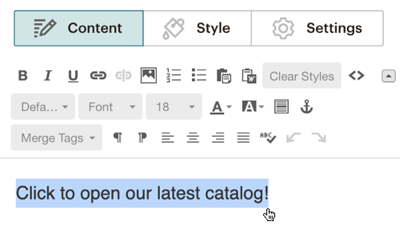
Highlight existing text or create new text for the link.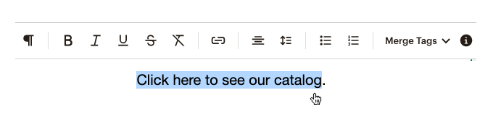
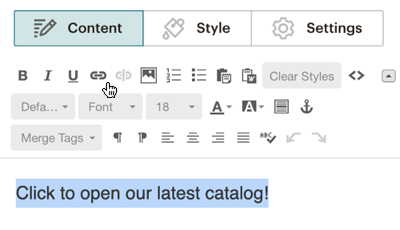
Click on the link icon in the toolbar. The editor also supports keyboard shortcuts on Macs to add links. If you’re using a Mac, highlight the text you want to link and use CMD+K to open the Text Link pop-up modal. 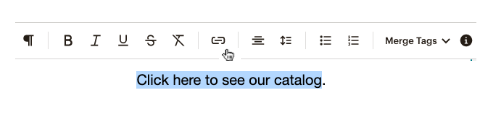
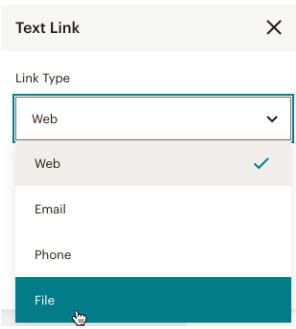
In the Text Link pop-up modal, click the drop-down menu and select File.
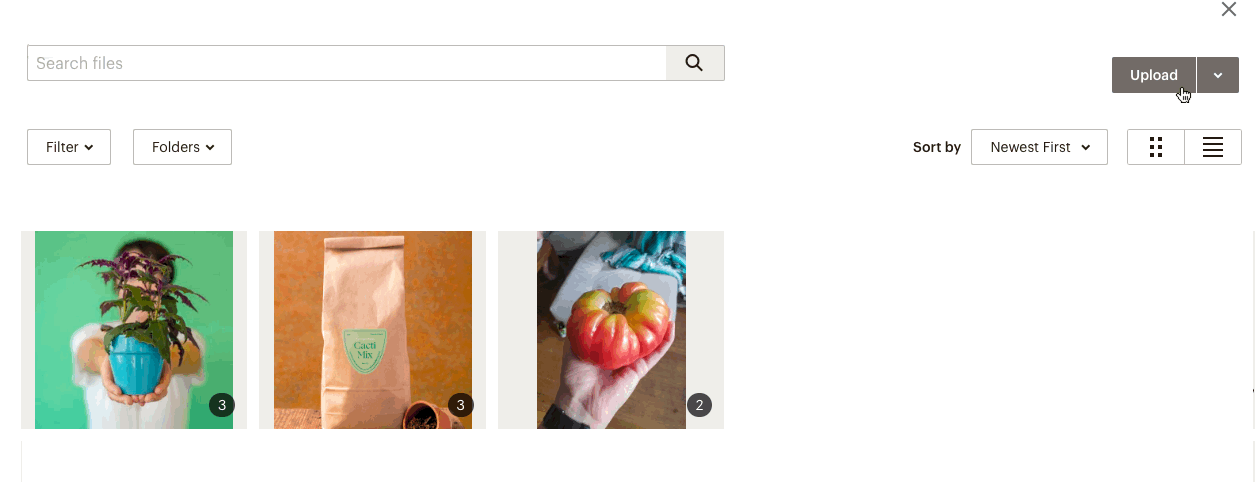
Upload a file from your device or use Select File to link a file from your content studio.
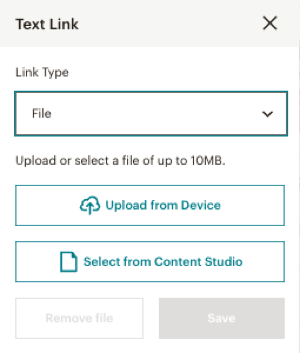
After the file uploads, we’ll automatically create the URL for your file. Click Save.
After you send the campaign, contacts who click the link you created will be able to access your file. You can see how many contacts opened the file in your campaign report.
Use the link tool in the edit pane to upload a file to your content studio. We'll create a unique URL for your file and add it to your email campaign.
To add a file to your email campaign in the classic builder, follow these steps.


In the Insert or Edit Link pop-up modal, we'll automatically fill in the URL of your file. 
Click Advanced Options to edit optional settings like whether to open the file in a new window, or to apply a Title attribute or CSS class.
Click Insert.
After you send the campaign, contacts who click the link you created will be able to access your file. Find out how many people opened the file in your campaign report.
Check out these resources to learn more about sharing files, images, and media with your contacts.
How to Use the Content Studio
Send a File to New Subscribers
Use Merge Tags to Send Personalized Files
Upload, Add, and Edit Images in Campaigns
Add Audio to a Campaign
Add Video to a Campaign
Technical Support

Have a question?
Paid users can log in to access email and chat support.
Use Mailchimp to send reports, MP3s, videos, or other files to new email subscribers. Add your files to an automated or welcome email.
Use Mailchimp's content studio to store images, documents, and other files. Include or link to files in your campaigns, templates, or signup forms.