About A/B Tests
Use Mailchimp's A/B tests to compare how different factors affect your email engagement. Learn what you can test and how winners are chosen.

Get the job done with a pro
From training to full-service marketing, our community of partners can help you make things happen.

QuickBooks makes managing your finances easy and integrates with Mailchimp, allowing you to use your paid invoices to create smarter, more personalized marketing campaigns.
Each time you create an email, you may wonder whether your content is presented in the best way for your audience. Use an A/B test to compare how small changes can impact your marketing engagement.
In this article, you'll learn how to create and edit A/B tests.
Here are some things to know before you begin this process.
Email A/B tests are built in a series of steps. First you'll create and name your test, then you'll choose your recipients, decide which variable to test, choose your setup, and add your content. Last, you'll confirm that everything looks good and send.
To create a new A/B test, follow these steps.
Note
If you see the Multivariate option instead, your plan includes advanced testing options. To learn more, check out Create a Multivariate Test.
On the Recipients step, choose the audience or segment you want to send your test to. Configure a new segment on this screen, or choose a saved segment.
When you're ready, click Next.
On the Variables step, choose whether to test your subject line, From name, content, or send time.
To choose the variable you want to test, follow these steps.


Depending on which variable you test, the Setup step will present multiple Email subject, From email address and name, and Subject line fields.
To choose your setup, follow these steps.
The Content step is where you add content to your test. What you see on this step will vary if you choose to test content.
To add content when your variable is subject line, From name, or send time, follow these steps.
If your variable is content, the Content step shows a preview for each variation.
To add content to each variation, follow these steps.
The Confirm step is where you'll review the combinations that make up your A/B test and send them when ready.
To confirm and send your A/B test, follow these steps.
Subscribed email contacts may not interact with your email right away, so test data may take some time to populate. We recommend you wait at least 4 hours after you send an A/B test to send the winning combination. Winner notification emails are sent to any user on your account with a user level of Manager or higher.
Note
If you choose Manual selection from the drop-down on the Variables step of the builder, you'll be able to view the report after tests are sent, and choose a winner.

To manually choose a winner, follow these steps.

After you send your test, you may decide you want to manually choose the winning combination.
To convert to manual selection after you send your test, follow these steps.
Note
Use an A/B test to align text messages with your audience. Learn about the best message length, whether recipients prefer emojis or plain text, if they prefer images, or offer promo codes. With A/B testing for SMS, we'll automatically choose the winning variation based on the highest click rate. You can also manually select the winner.
Note
To create a new A/B test, follow these steps.
The screen displays a dropdown above the Message section with your two variations labeled as “Message A” and “Message B.” There'll also be a section with mockups of the two messages that you can click. When a mockup is clicked on, you’ll have access to the Message field to make changes.
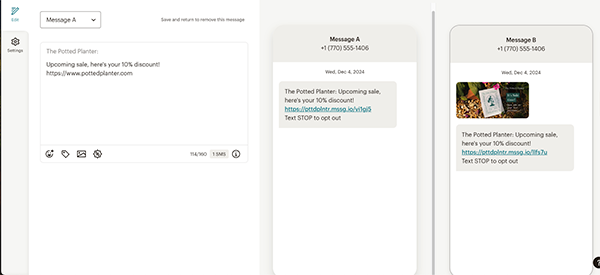
After you’ve designed your message, click Save and continue to go back to the SMS checklist.
After you select to A/B test the message, the A/B test details section is present in the SMS checklist. Here, you can determine the percentage of recipients who'll receive each variation, select the amount of time the test will run for, and what the winning criteria will be.
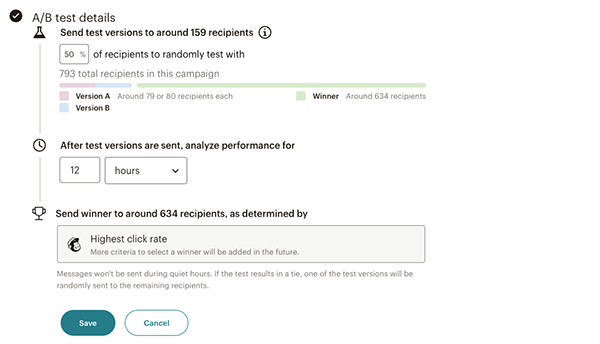
Once you’ve set the conditions for the A/B test, click Save to go back to the SMS checklist. Click Send or schedule to send the A/B test out now or choose to schedule it for a later date. If you want to send or schedule your A/B test at a later date, click Finish later to go back to the SMS Overview page.
Once an A/B test is running and sending, you may want to manually select the winning combination.
To end the test early after you send your test, follow these steps.
Use an A/B test to learn which version of your popup form performs better. We’ll create a duplicate of your popup form that you can edit, then test. Update colors, images, text, or change your offer to see what resonates with your website visitors. 50% of recipients will receive each variation. After you publish, your A/B test runs until you choose a winner.
To create a popup form A/B test, follow these steps.
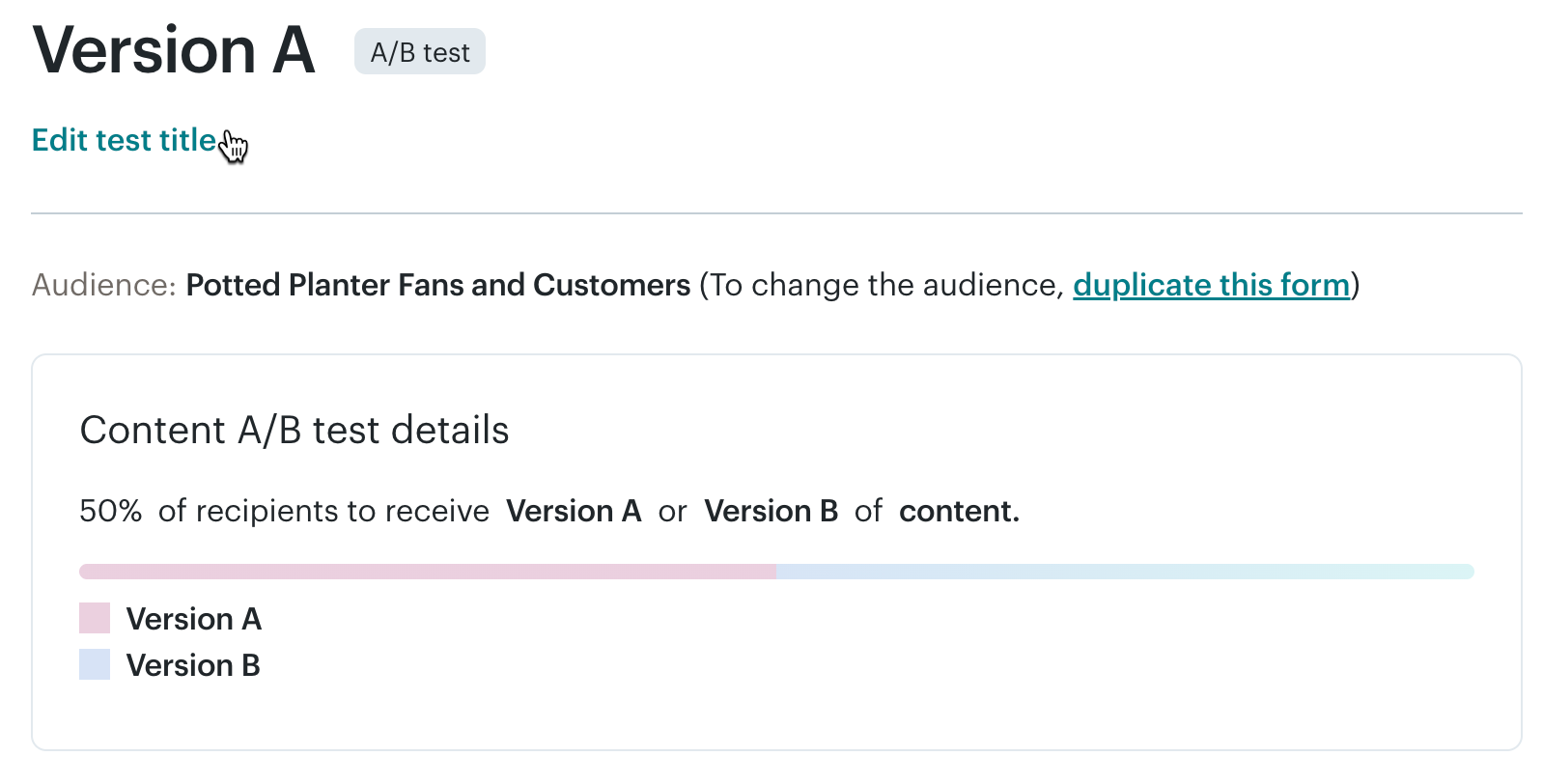 The Content A/B test details section shows the percentage of recipients who’ll receive each test version.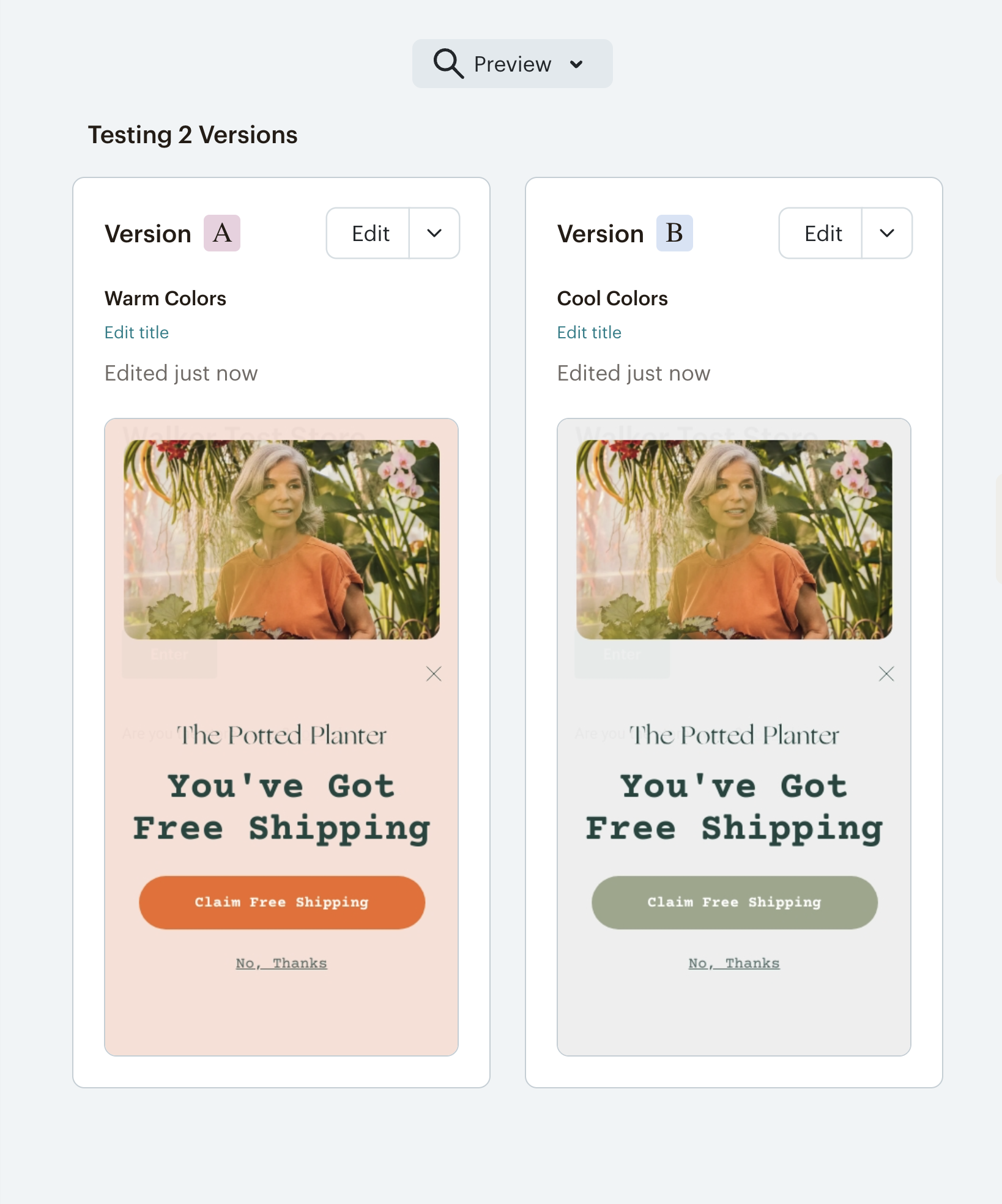
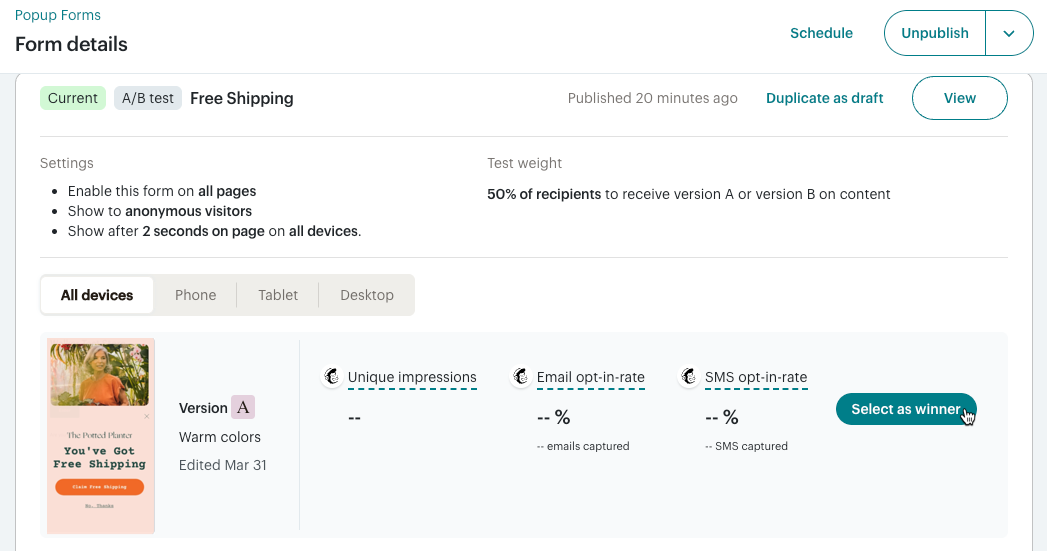
After you publish, the A/B test automatically ends. The winning popup form version is live for all website visitors. All performance data starts over and the previous version is archived.
Technical Support

Have a question?
Paid users can log in to access email and chat support.
Use Mailchimp's A/B tests to compare how different factors affect your email engagement. Learn what you can test and how winners are chosen.
Learn how to create a regular email in Mailchimp.